
An event in GolfHandicapp is a live competition with its own leaderboard. You set the format, add your playing partners, and everyone enters their scores on the day. This is the flow everyone starts with, so we'll walk it through once here. The format guides for Match Play, Skins and Stableford all begin from this point.
Start a new event
- Go to the Events tab and tap New event.
- Pick a format to get started. This just presets the main game, you can change everything on the next screen.
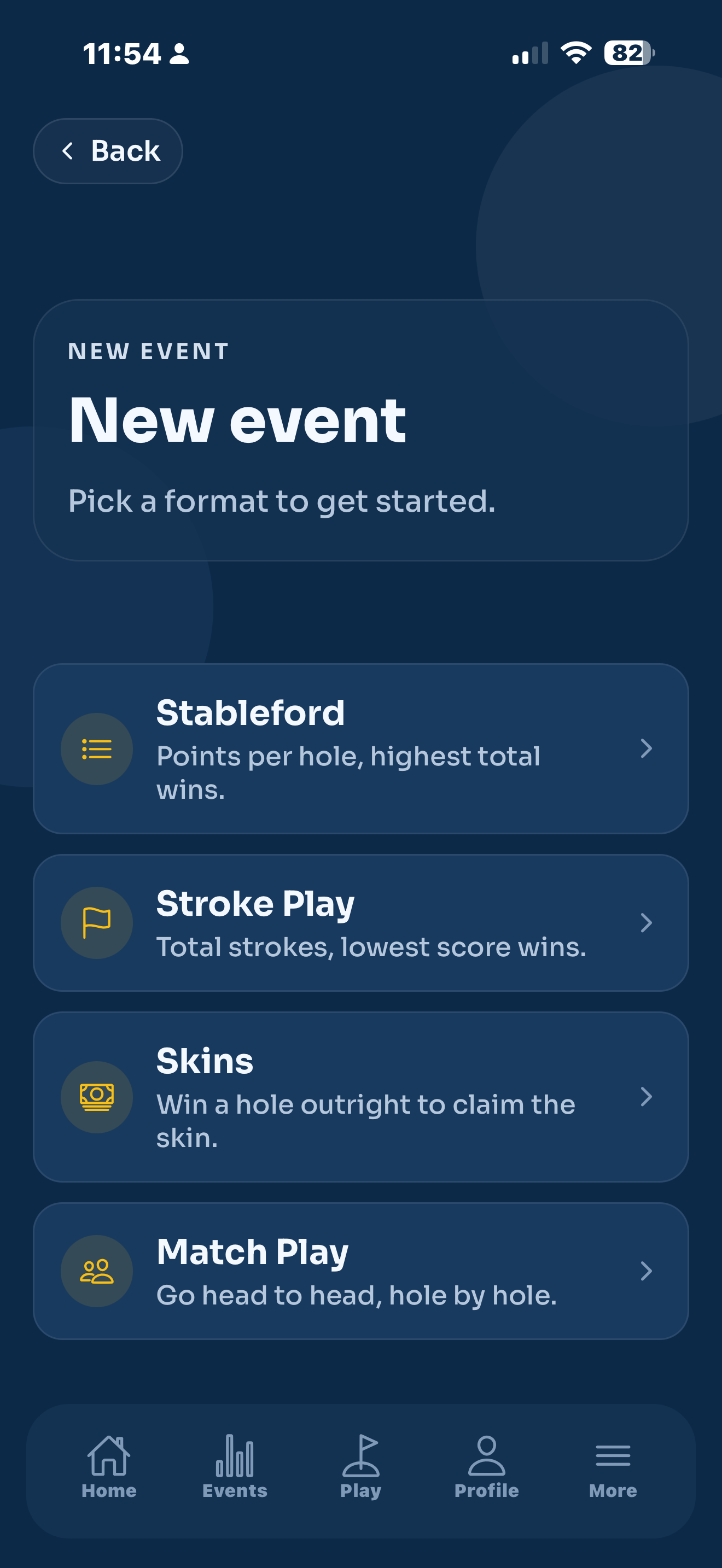
That drops you onto the event setup screen, where you fill in the details below.
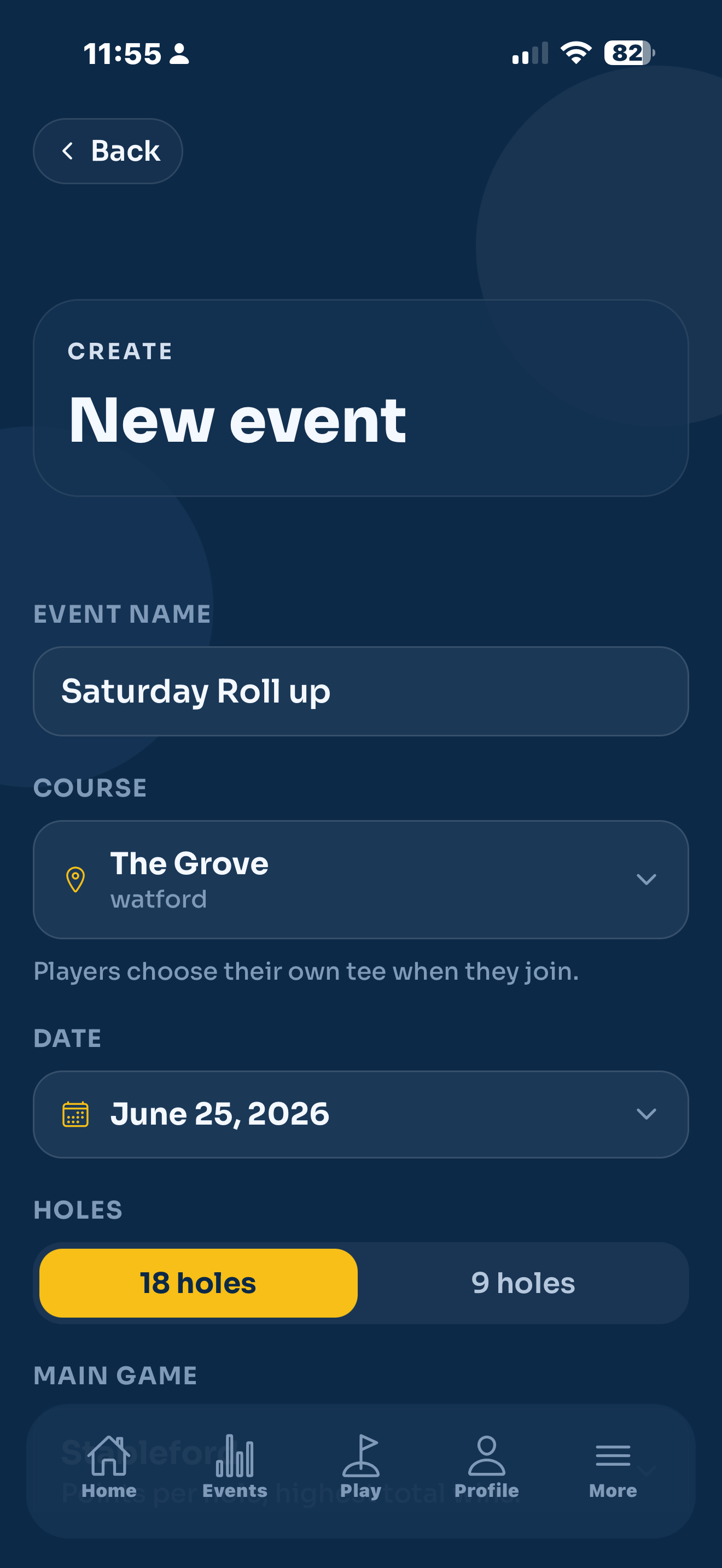
Name it
Give the event a name in Event name. Anything works, "Saturday Stableford", "Club Champs", "Sunday Fourball". This is what shows on everyone's leaderboard.
Pick a course
Tap Course and search for the club you're playing. Choose it from the list.
Players choose their own tee when they join, so you don't pick tees here. Each golfer's handicap is worked out from the tee they play.
Set the date
Tap Date and choose the day. If you pick today (or a day that's already gone), the event goes Live the moment you start it. Pick a future date and it's saved as upcoming, ready to start on the day.
Choose 18 or 9 holes
Under Holes, choose 18 holes or 9 holes. If you pick 9, a second row appears so you can choose Front 9 or Back 9.
Pick the main game
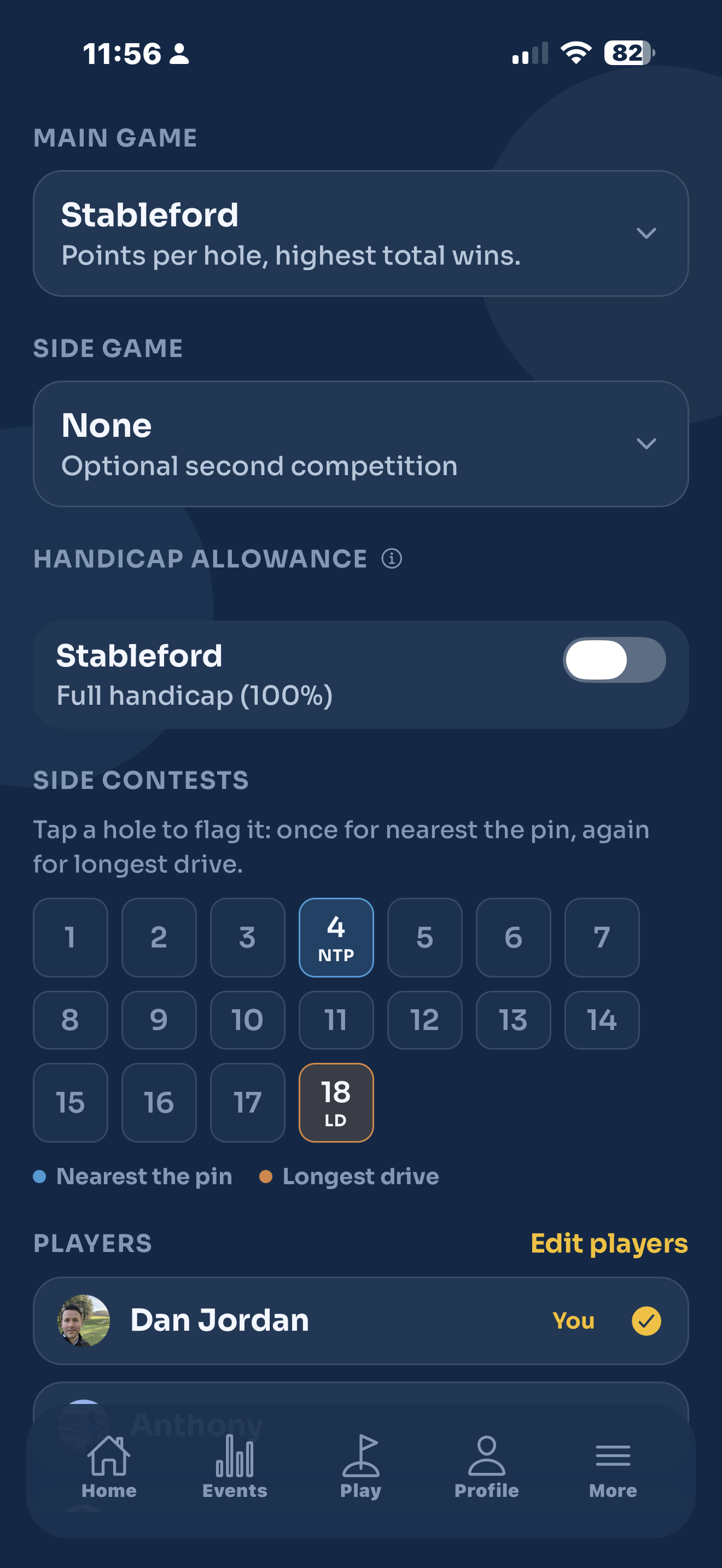
Tap Main game and choose the format. Your options are:
- Stableford points per hole, highest total wins. See Stableford.
- Stroke Play total strokes, lowest score wins.
- Skins win a hole outright to claim the skin. See Skins.
- Match Play the team Cup, head to head. See Match Play.
Add a side game (optional)
Tap Side game if you want a second competition running over the same scores. For example, a Stableford main game with Skins on the side. Leave it on None if you just want the one. The side game can't be the same format as the main game.
Set the handicap allowance
Each game has its own Handicap allowance toggle. You always play off a handicap, the toggle just decides how much.
- Off everyone plays off their full handicap (100%).
- On scoring uses the recommended WHS allowance for that format (95% for Stableford, Stroke Play and Skins, and the Cup allowance for Match Play).
Tap the little information icon next to the label for a reminder.
The allowance only affects this event. It never changes your saved handicap or your posted round.
Add players
- Under Players, tap Add players.
- Search any golfer by name, or pick from the people you follow.
- Tap Add next to each one, then tap Done.
You're listed at the top as You, already in the event. Tap your own row to opt out if you're running the event for other people and not playing yourself. You stay the organiser either way.
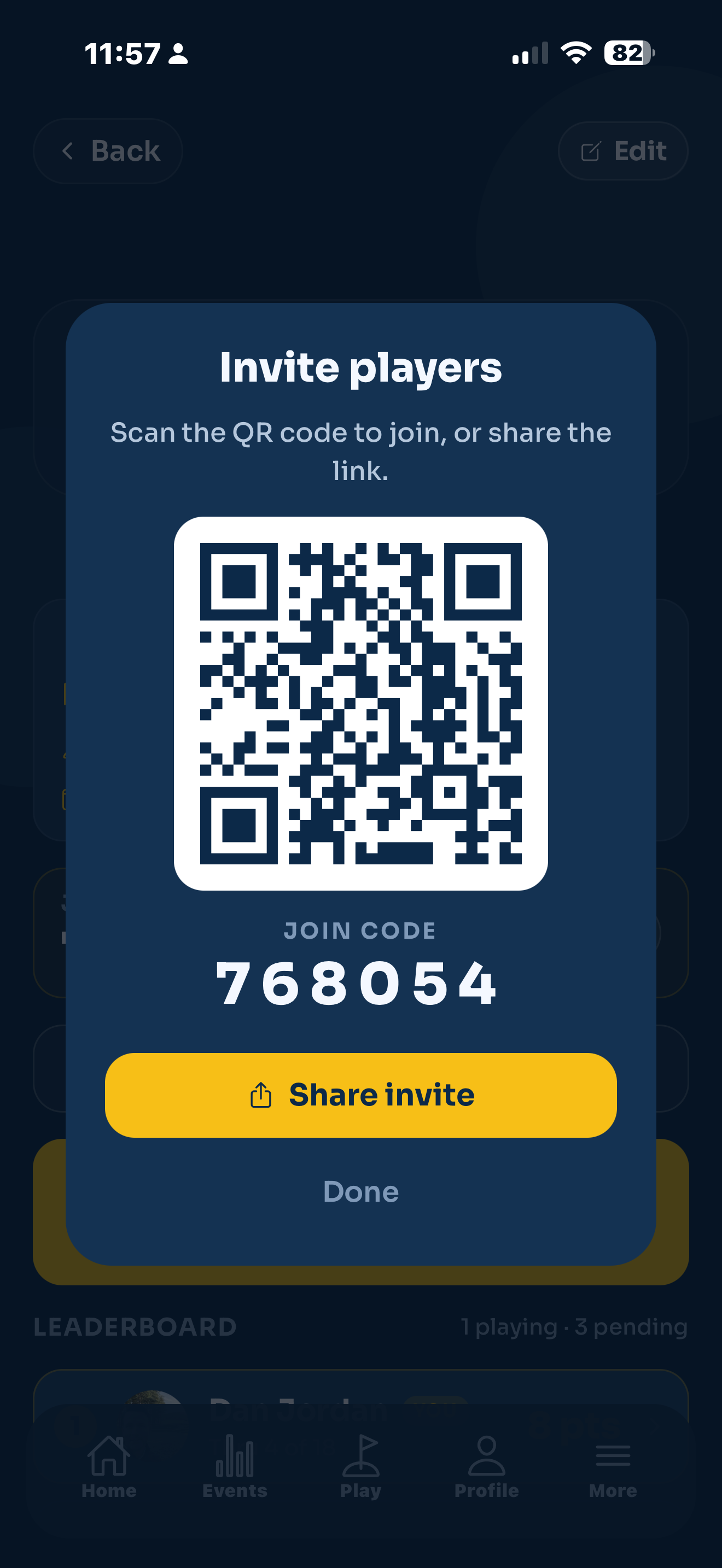
Everyone you add gets an invite and confirms before they join. They show as invited until they accept.
Start now or save for later
When the details are set, the button at the bottom does one of two things:
- Start event appears if the date is today or earlier. Tap it to go live straight away.
- Save event appears for a future date. It's saved to your events, and you start it from its leaderboard on the day.
If you set Match Play, the start button stays greyed out until you've built at least one match. That's the one extra step the Cup needs, and it's covered in the Match Play guide.
Editing an event
Open the event from your list and tap Edit. While it's still open with no scores in, you can change everything. Once it's live, only the name (and team names, for a Cup) can change, so the course and scores stay safe.