
Nearest the pin and longest drive are little contests you can run alongside any event. The organiser flags a hole or two when setting the event up, then everyone logs their distance as they score. The leaderboard tracks the current leader for each one. They sit on top of whatever main game you're playing, so you don't have to choose between them and your Stableford or Skins.
Flag the holes (organiser)
You set up side contests while creating the event, so start there if you haven't yet (see Creating an event). On the setup screen, find the Side contests section. It shows a grid of hole chips, one numbered chip per hole in the round.
Each chip cycles through three states every time you tap it:
- Tap once to flag the hole for nearest the pin (the chip turns blue and shows NTP).
- Tap again to switch it to longest drive (the chip turns orange and shows LD).
- Tap a third time to clear it back to off.
So a par 3 you want for nearest the pin gets one tap, a long par 5 you want for longest drive gets two. The small legend under the grid reminds you which colour is which: blue for Nearest the pin, orange for Longest drive.
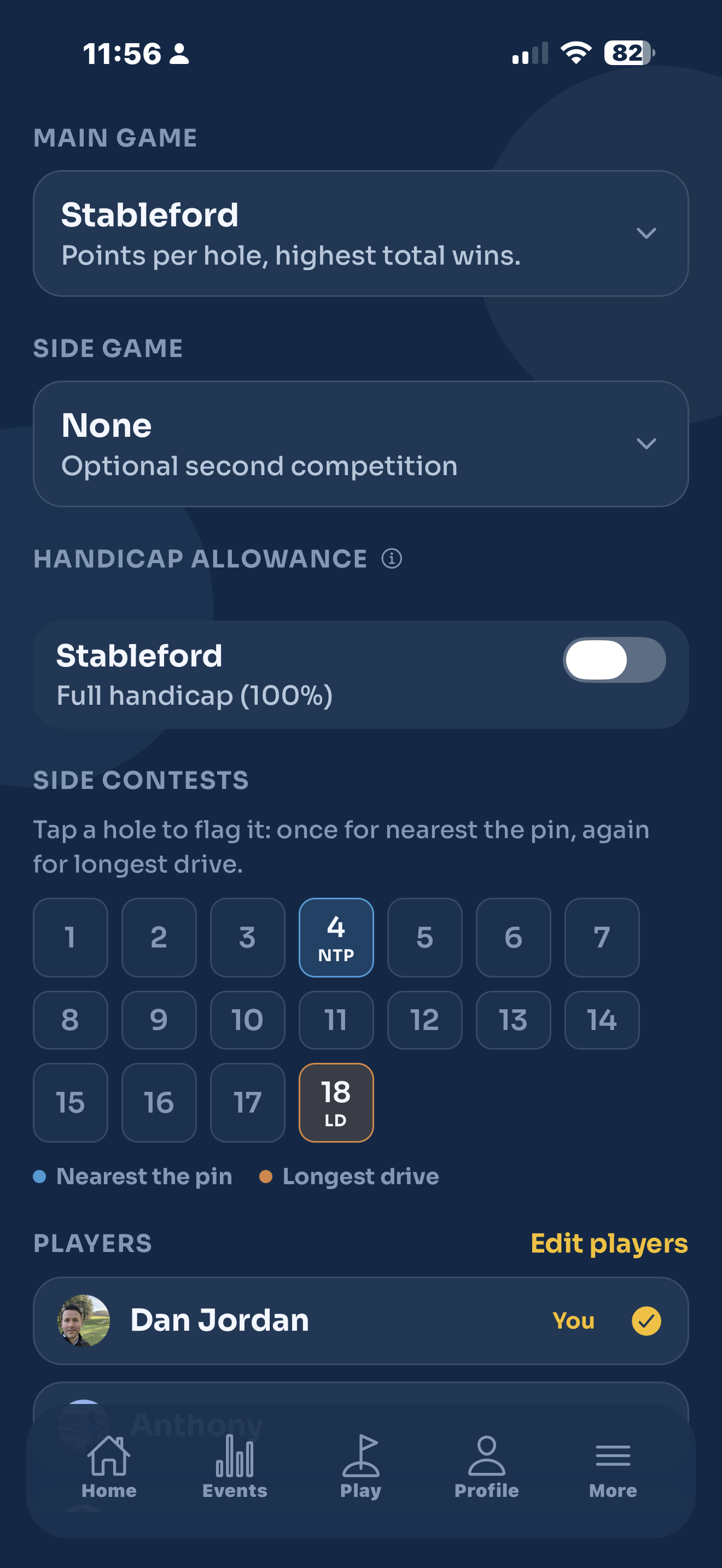
You can flag as many holes as you like, and mix the two. A typical setup is nearest the pin on the par 3s and longest drive on one big par 5.
If you've already created the event, open it and tap Edit. As long as it's still open with no scores in, you can change the flagged holes just like everything else.
Log your distance (every player)
The flagged holes show up for everyone as they enter their scores, so there's nothing to set up on your side.
- Play the hole and tap your score as normal.
- The moment your score lands on a flagged hole, a prompt pops up: Nearest the pin? or Longest drive?
- If you got it, enter your distance and tap Save. For nearest the pin that's your distance from the pin in feet. For longest drive it's how far your drive carried in yards.
- If it wasn't you, tap Not me to dismiss the prompt. No distance is logged.
You'll know a hole is a contest hole even before you score it: it carries a small NTP or LD badge at the top of its score row. Tap that badge any time to open the prompt again, whether to log a distance you skipped or to change one you already entered.
Feet for nearest the pin, yards for longest drive. The prompt always tells you which it wants, so you don't have to remember.
Change or clear an entry
Made a mistake, or beaten by someone later in the day? Tap the NTP or LD badge on that hole to reopen the prompt. Change the number and tap Save, or tap Remove to clear it completely. Removing leaves the hole with no entry from you, exactly as if you'd never logged one.
See who's winning
Open the event's leaderboard and scroll down to the Nearest the pin / Longest drive card. It lists each flagged hole with its badge, the hole number, and the current leader: their name and their distance. Nearest the pin shows the shortest distance in feet, longest drive shows the longest in yards. A hole nobody has logged yet reads No entries yet.
The card updates live as people post, so it's always showing who's in front right now. Pull to refresh if you want to be sure you're seeing the latest.
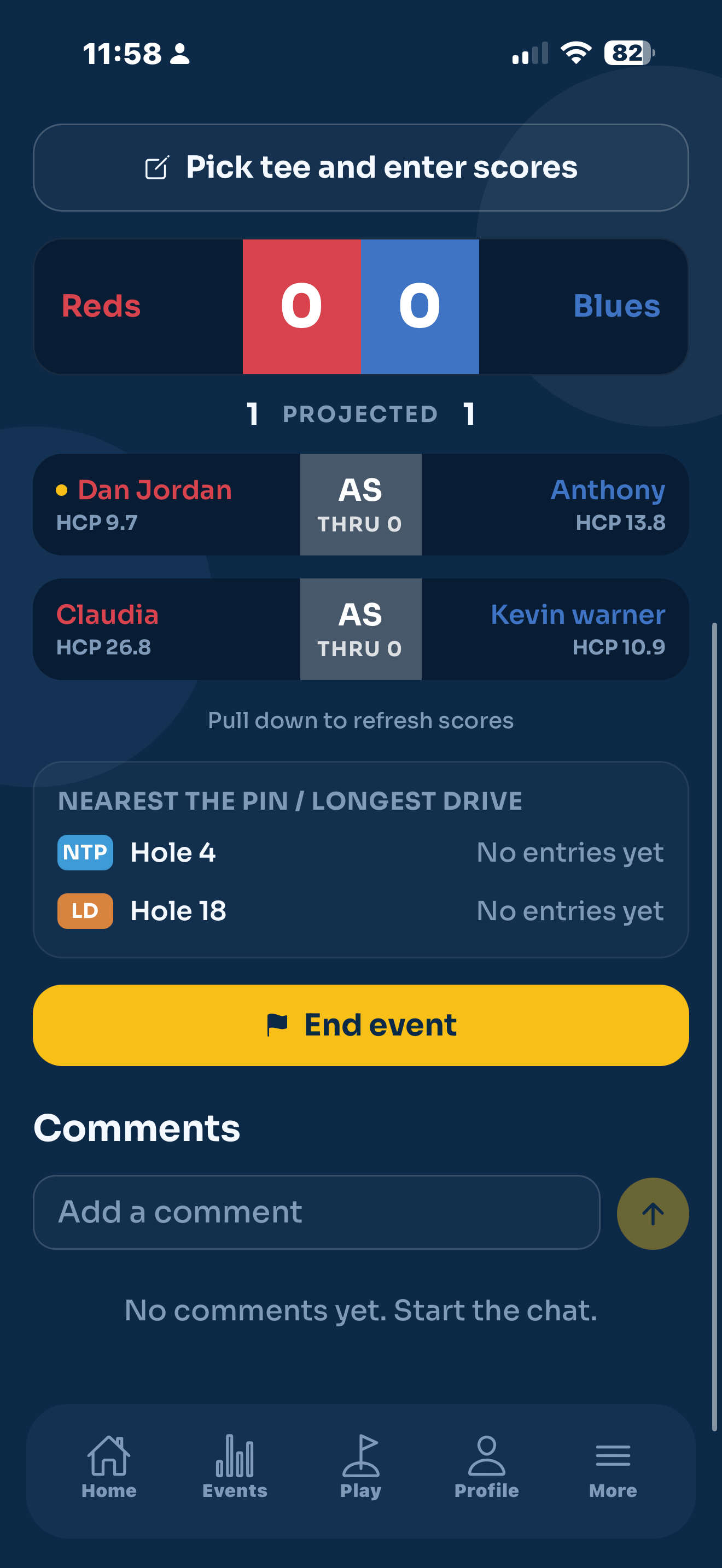
The side contests don't touch the main game. Your Stableford points, Skins or Stroke Play score are worked out exactly the same whether you log a distance or not.