
Every event has its own live leaderboard. It's where you watch the competition unfold, check your own standing, and see the final result once everyone's in. The screen looks a little different depending on the format, so here's how to read each part of it.
The top of the screen
At the top sits a card with the event details: the course, the format (and the side game, if there is one), the number of holes, the date, and a note if a reduced handicap allowance is in play. If you're the host you'll also see the join code and any pending requests to join, plus controls to start or end the event.
If the event has a side game, two tabs appear: one for the main game and one for the side game. Tap between them to switch which competition the board below is showing. The standings, your card, everything below the tabs reflects the tab you're on.
Your standing
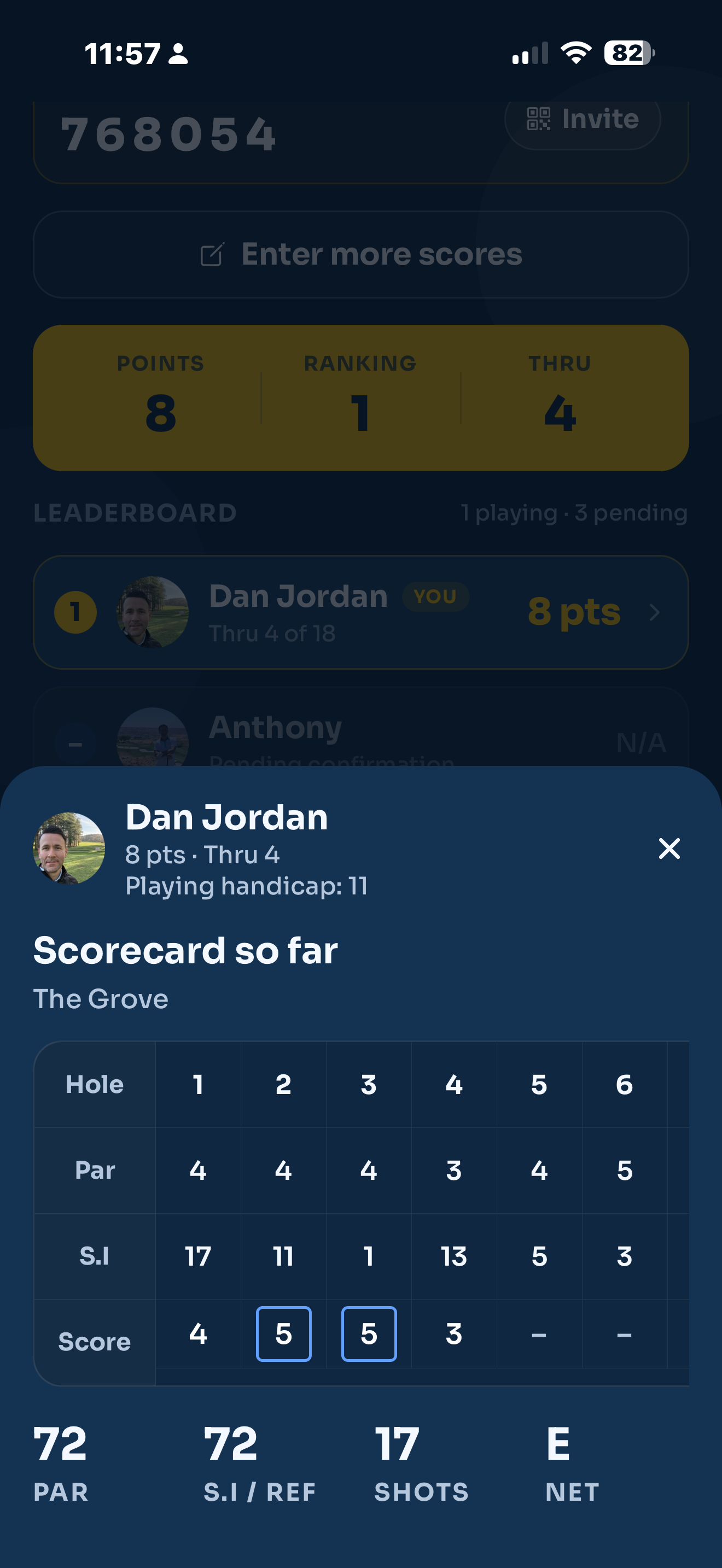
Just under the tabs is your own standing, in a gold strip with three figures:
- Points, To par or Skins, depending on the format. Stableford shows your points, Stroke Play shows you against par (with E for level), Skins shows how many you've won.
- Ranking, your current position in the field.
- Thru, how many holes you've scored so far.
It's the quick "how am I doing" glance before you read the full field.
The standings list
Below that is the ranked list, one row per player. Each row shows their position (the top three get coloured badges, gold for the leader), their name, how far they are through the round, and their score in the format you're viewing. Your own row is highlighted and tagged You.
Players who have been invited but not yet started show as pending and sit at the bottom without a position. Tap any player's row to open their full scorecard, hole by hole.
The board doesn't push updates the instant someone scores. Pull down to refresh and you'll see the latest from everyone.
The Match Play Cup view
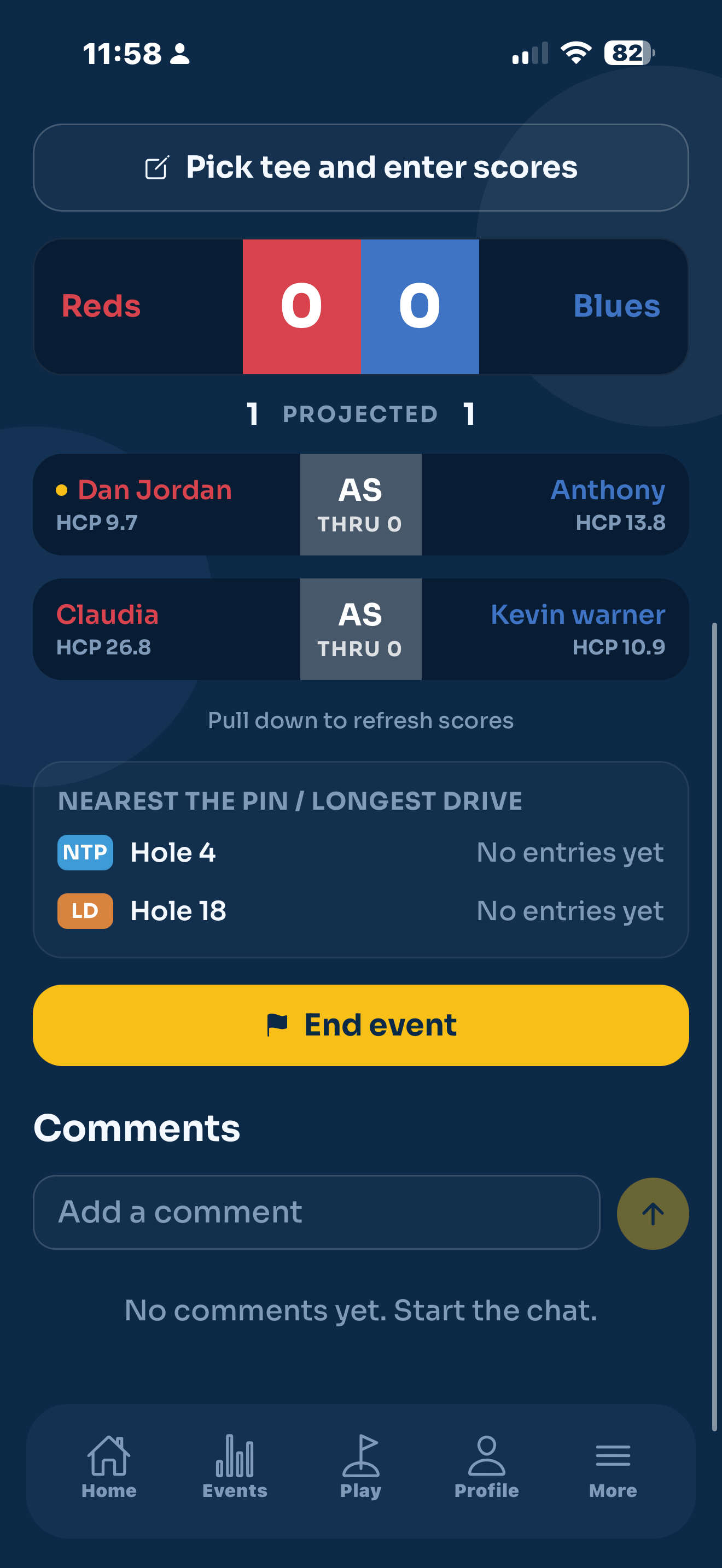
Match Play looks completely different, because it's a team event. Instead of a ranked list you get the Cup view, a Reds versus Blues scoreboard.
At the top, a single bar shows each team's name and their live points, with an arrow pointing toward whoever's ahead. Just under it sits the projected total: what the result would be if every match finished as it currently stands (level matches counting half a point each side).
Below the scoreboard is one row per match. Each row shows the players on each side with their handicaps, and a coloured block in the middle giving the state of that match: who's up and by how much, AS when it's all square, and THRU how many holes. A finished match reads Final, and one that's been closed out early shows a result like 2&1. The block is coloured for whichever team leads that match, and your own match is marked with a gold dot by your name. Tap a match to open both players' scorecards side by side.
A Cup is two competitions at once. The same pairings are also scored as net Stableford, so use the tabs to switch between the Match Play result and the Stableford tally of Reds versus Blues.
Where the side contests show
If the organiser flagged any holes for nearest the pin or longest drive, scroll to the bottom of the board for the Nearest the pin / Longest drive card. It lists each flagged hole with the current leader and their distance. There's a full walk through in Side contests.
Comments
Right at the bottom is the event chat. Drop a message for everyone in the competition, perfect for a bit of needle on the back nine.